Landscaping Business Software: Best Picks for 2026

Landscaping Business Software: Best Picks for 2026
Best overall for owner-operated landscaping work: Solo Pro, a personalized AI assistant for quoting jobs, booking customers and tracking money. Best for crew scheduling: Jobber; best for estimate budgeting: LMN; best for commercial landscape operations: Aspire; best for accounting: QuickBooks Online. This 2026 landscaping business software guide explains which tool fits the work you need done, rather than treating every business as a dispatch operation.
TL;DR
- Solo Pro is the landscaping business software pick for owner-operated businesses that need quoting, booking and money tracking.
- Jobber fits crew scheduling; LMN fits landscape estimating and job budgets.
- Aspire fits commercial landscape operations; QuickBooks Online fits accounting rather than field dispatch.
- Choose around your hardest daily task, and test a real job before changing systems.
Why this matters
Landscaping work has different administrative demands. A recurring mowing visit needs a clear appointment and payment record. An installation estimate needs defined scope, material costs and labor assumptions. A business coordinating crews also needs to assign work and communicate changes.
The best software solves your current bottleneck without leaving the next handoff unfinished. A calendar does not tell you whether an installation estimate covers its costs. Accounting software does not tell a crew where to work next.
For your 2026 shortlist, separate customer-facing work from field coordination and financial records. Then decide whether you need one system to cover those jobs or a specialist for the task that causes the most trouble.
What makes the best landscaping business software?
Useful quoting. You need to describe the job clearly enough that the customer understands what is included. For installation work, check whether the estimating process supports the labor, materials and other costs you use to build a quote.
Booking and reminders. Look for a practical way to arrange appointments and remind customers. Crew assignments and dispatching are a separate requirement; do not assume a booking feature includes them.
A path to payment. Follow the work from an accepted quote through invoicing and payment collection. Check how the software records the result, not just whether it creates an attractive invoice.
Money visibility. Distinguish income and expense tracking from job-cost reporting and accounting. These solve related problems, but they are not interchangeable. Choose the level of detail your decisions require.
Fit for your working day. Test the actions you perform between jobs: finding a contact, changing an appointment, preparing a quote and checking a payment. A feature matters only when you can use it in your actual workflow.
Present-day team support. If employees need separate access or you need dispatching, evaluate those capabilities as they exist now. A development plan is not a working feature.
Landscaping software at a glance
Solo Pro — Best for owner-operated service work. The personalized AI assistant helps import phone contacts, quote jobs, send appointment reminders, handle booking and invoicing, collect payments, and track and classify income and expenses through connected bank accounts. Its key limitation for team coordination is that multiple seats and dispatching are in development, not available today.
Jobber — Best for crew scheduling. Jobber combines field-service scheduling with customer records, quotes, invoices and payment collection. Its limitation for this comparison is that scheduling capability does not replace evaluating landscape-specific estimating depth or your accounting requirements.
LMN — Best for estimate budgeting. LMN focuses on landscaping workflows, including estimating, budgeting and job-cost management. Its limitation is the setup work involved in defining the labor, material and overhead assumptions that make those estimates useful.
Aspire — Best for commercial landscape operations. Aspire connects landscape estimating, scheduling, purchasing and job-cost workflows. Its operational scope requires more process definition than a business seeking only appointment reminders and invoices needs.
QuickBooks Online — Best for accounting. QuickBooks Online provides bookkeeping, bank transaction handling, invoicing and financial reporting. It is not a landscape crew-dispatch system, so accounting alone will not organize your field assignments.
1. Solo Pro: best landscaping software for owner-operated work
Solo Pro is a personalized AI assistant for service businesses that need help completing everyday work. You can import contacts from a phone, quote jobs, draft customer-facing booking-page wording and send appointment reminders. Booking, invoicing and payment collection are current capabilities.
The assistant also connects bank accounts to automatically track and classify income and expenses. You can ask questions about business health and get suggested next steps for generating income or reducing expenses. That makes it relevant when you need help acting on your business information, not just storing it.
Assistant pros: customer work. Contacts, quotes, booking, reminders, invoicing and payments address the administrative work surrounding a landscaping visit. These are relevant whether you are arranging an estimate appointment or handling customer follow-up.
Assistant pros: money tracking. Connected bank accounts support automatic income and expense tracking and classification. You do not have to treat appointment administration and money visibility as unrelated tasks.
Assistant pros: practical next steps. Questions about business health can lead to suggested actions. Drafting booking-page language also addresses a specific customer-facing task rather than requiring you to start with an empty page.
Assistant cons: team coordination. Multiple seats and dispatching are in development and are not live. If separate staff access or dispatch is essential to your current operation, that is a present-day limitation.
Best for: Owner-operated landscaping businesses seeking assistance with customers, quotes, bookings and money tracking. Businesses with employees should evaluate their actual access and coordination requirements rather than decide from headcount alone.
Verdict: Buy Solo Pro for landscaping business software that helps handle service-business tasks; skip it for a purchase whose essential requirement is live dispatching.
2. Jobber: best landscaping software for crew scheduling
Jobber is field-service management software for organizing customers and jobs. Its scheduling, quoting, invoicing and payment tools make it a relevant option when your main problem is coordinating work rather than preparing detailed landscape budgets.
For a 2026 evaluation, start with a schedule change. Confirm how an office user changes the job, how the assigned worker sees it and how the customer-facing information stays clear.
Jobber pros: connected job administration. Customer records, quotes, schedules and invoices sit within a field-service workflow. That gives you a clear set of tasks to evaluate together.
Jobber pros: scheduling focus. Jobber belongs on the shortlist when assigning and organizing field work is central to the purchase.
Jobber pros: payment workflow. Invoicing and payment collection extend the workflow beyond arranging the visit. Test the connection between completed work and the customer’s bill.
Jobber cons: estimating fit. General field-service quoting is not the same requirement as building a landscape estimate from production assumptions. Examine the detail you need rather than treating all quote tools as equivalent.
Jobber cons: accounting fit. A job-management workflow does not remove the need to define your bookkeeping and reporting process. Confirm what information your accountant requires.
Best for: Landscaping businesses whose first requirement is scheduling field work and coordinating job administration.
Verdict: Buy Jobber when crew scheduling is the deciding task; hold if detailed landscape budgeting is the main problem.
3. LMN: best landscaping software for estimate budgeting
LMN is landscaping business management software with a focus on estimating, budgeting and job costs. It fits a purchase driven by questions about what a job should include, what it should consume and whether the estimate supports the business’s financial goals.
The deciding issue is your estimating method. If you need to build quotes around labor, materials and overhead assumptions, evaluate that process directly rather than beginning with appointment reminders.
LMN pros: landscape estimating. The product’s estimating focus matches landscaping work more closely than a general appointment calendar does.
LMN pros: budget connection. Budgeting gives the estimate a business context. You can evaluate how your planned costs inform the work you quote.
LMN pros: job-cost focus. Job-cost management belongs in the comparison when you need to assess jobs beyond the amount invoiced.
LMN cons: input discipline. Estimates need maintained cost assumptions. Software does not make outdated material costs or unrealistic labor assumptions accurate.
LMN cons: setup requirement. A budgeting-centered workflow requires you to define how your business estimates work. If you only need booking and reminders, that is extra process to manage.
Best for: Landscaping businesses that need structured estimating and budgeting, especially when job scope and cost assumptions drive the buying decision.
Verdict: Buy LMN for estimate budgeting; hold if the immediate problem is simply getting appointments and invoices organized.
4. Aspire: best landscaping software for commercial operations
Aspire is business management software for landscape contractors. Its scope connects estimating, scheduling, purchasing and job-cost management, making it relevant when several operational handoffs need to stay coordinated.
For commercial landscape work, examine how information passes between estimating, office administration and field execution. The value of an operations system depends on those connections, not on the length of its feature list.
Aspire pros: operational coverage. Estimating, scheduling and purchasing address different stages of delivering landscape work. Evaluate them as a connected process.
Aspire pros: cost visibility. Job-cost management is relevant when you need to understand costs against the work performed rather than only review incoming payments.
Aspire pros: landscape focus. Aspire’s landscape-contractor focus makes it a relevant candidate for businesses with industry-specific operational requirements.
Aspire cons: process definition. Connected operations require clear responsibilities and consistent records. You still need to decide who maintains estimates, schedules and purchasing information.
Aspire cons: scope mismatch. A business seeking a booking tool has less reason to adopt an operations-centered system. Do not add purchasing and job-cost workflows unless you need them.
Best for: Commercial landscape businesses seeking connected estimating, scheduling, purchasing and job-cost workflows.
Verdict: Buy Aspire when cross-function operations are the requirement; skip it for a booking-only purchase.
5. QuickBooks Online: best landscaping software for accounting
QuickBooks Online is accounting software, not a landscaping operations platform. It handles bookkeeping, bank transactions, invoices and financial reports, making it relevant when your first problem is getting the financial records in order.
Its role is different from a scheduling system. Choose it for the accounting work you need, then separately decide how customers, appointments and crew assignments will be managed.
QuickBooks Online pros: accounting focus. Bookkeeping and financial reporting are the core reason to consider it. That is useful when accounting records, rather than field coordination, drive the purchase.
QuickBooks Online pros: bank transactions. Bank transaction handling supports the financial recordkeeping workflow. Check that your classification process matches how you review the business.
QuickBooks Online pros: invoicing. Customer invoices connect billing with accounting records. Evaluate the invoice information your landscaping customers need.
QuickBooks Online cons: no landscape dispatch. Accounting software does not replace a system for assigning crews and communicating field schedules.
QuickBooks Online cons: separate operational workflow. You still need a method for booking jobs and managing service delivery. Avoid mistaking financial coverage for complete operational coverage.
Best for: Landscaping businesses prioritizing bookkeeping, invoices and financial reporting.
Verdict: Buy QuickBooks Online for accounting; skip it as your sole answer to crew scheduling.
How this ranking works
This 2026 ranking separates products by their strongest fit with the stated buying criteria: customer administration, scheduling, estimating, operations and accounting. It is not a claim that one product performs every landscaping task better than every alternative.
The first recommendation fits owner-operated service work. The other recommendations address distinct needs, so you can choose by your bottleneck rather than assume the last-ranked accounting tool is worse at accounting than the first-ranked assistant.
Test a real job before choosing
Customer details. Use 1 completed job as your test case. Start with the customer information you actually needed, not a demonstration contact with no history.
Quote and booking. Recreate the scope, prepare the quote and arrange the visit. Check whether you can describe exclusions clearly and make a schedule change without losing context.
Invoice and payment. Follow the completed work into invoicing and payment recording. Check 3 handoffs: quote to booking, booking to invoice, and invoice to payment.
Money review. Set aside 30 minutes for an initial walkthrough, then examine how the resulting income and expenses appear. These are suggested evaluation steps, not performance benchmarks.
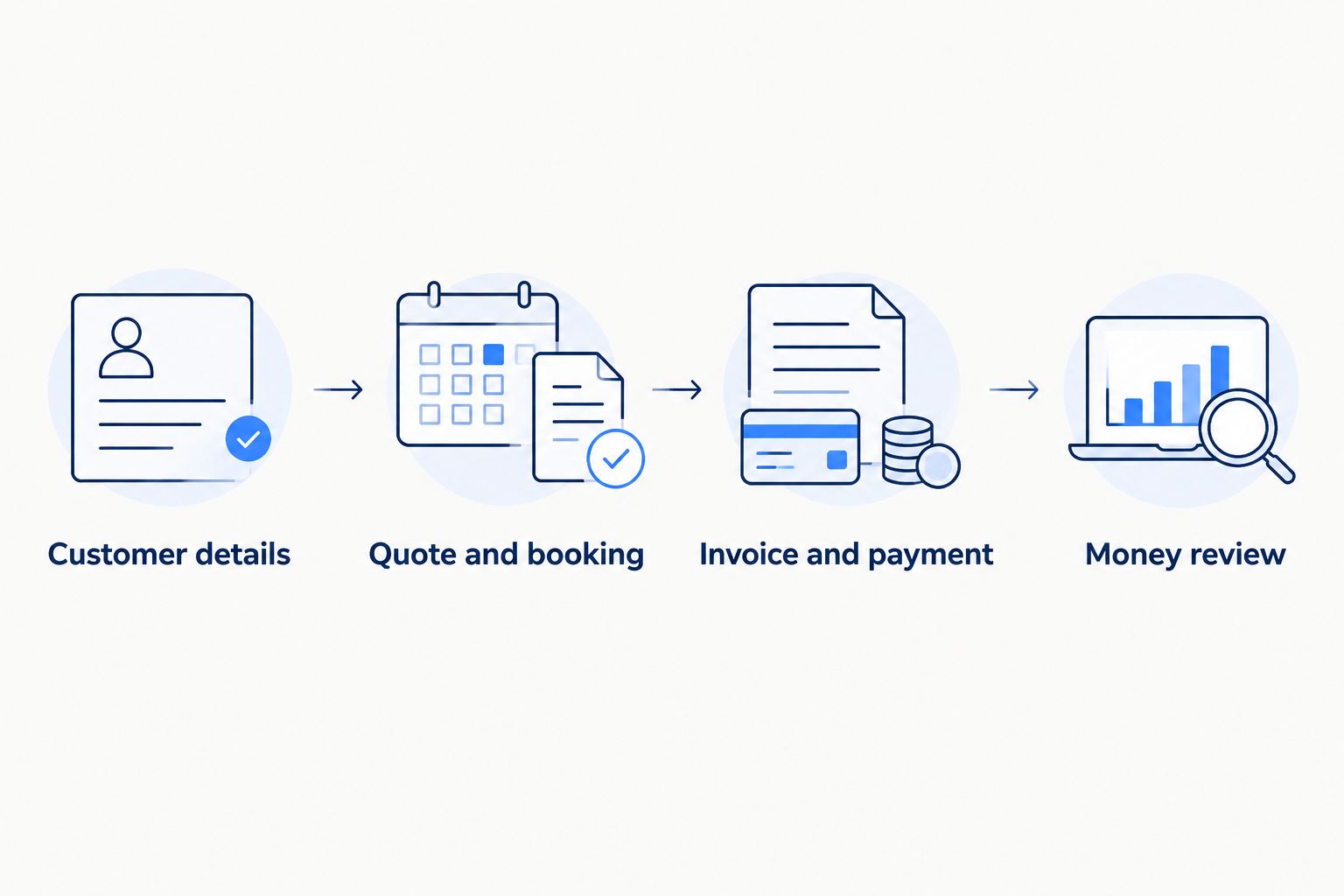
Test the handoffs around a real job, not just individual feature screens.
For your 2026 decision, record where the process breaks. If the problem is assigning work, prioritize scheduling. If it is understanding job costs, prioritize estimating and cost records. If it is completing everyday customer and money tasks, prioritize assistance with those tasks.
Which landscaping software should you choose?
Choose Solo Pro when you want a personalized AI assistant to help with quoting, booking, reminders, invoicing, payment collection and income and expense tracking. It is the default recommendation here for owner-operated service work, not for live dispatching.
Choose Jobber for crew scheduling, LMN for estimate budgeting, Aspire for connected commercial landscape operations, or QuickBooks Online for accounting. Before adopting more than one tool, decide which system owns each record so the same job does not become several conflicting versions.
FAQ
What is the best landscaping business software in 2026?
Solo Pro is the recommendation here for owner-operated service businesses seeking help with quotes, booking, reminders and money tracking. Choose Jobber for crew scheduling, LMN for estimate budgeting, Aspire for commercial operations, or QuickBooks Online for accounting.
Is Jobber or LMN better for a landscaping business?
Jobber is the better fit in this comparison for crew scheduling; LMN is the better fit for estimate budgeting. Test the workflow that drives your purchase rather than choosing from a general feature count.
Can accounting software manage my landscaping schedule?
Accounting software is not a substitute for landscape crew scheduling. QuickBooks Online addresses bookkeeping, invoicing and financial reporting; evaluate field coordination separately.
What should I test in landscaping software before choosing?
Test a completed job from customer details through quoting, booking, invoicing and payment recording. Include a schedule change and review how the financial information appears afterward.
Do I need landscape-specific estimating software?
Choose landscape-specific estimating software when your purchase depends on structured labor, material and overhead assumptions. A business whose immediate problem is booking appointments needs to evaluate a different workflow first.
Can booking software replace dispatching software?
Booking software does not automatically replace dispatching software. Confirm whether the current product supports the crew assignments, staff access and field communication your business requires.
How should I compare software costs?
Compare current vendor terms against the capabilities you need and the setup work your business must complete. Confirm what is included before deciding; this guide does not publish prices.
One last thing
Test a changed job, not just a completed one. Move the appointment, revise the scope or correct an expense classification during your evaluation. A tidy demonstration shows that records can be created; a change shows whether you can keep the customer, field work and money records aligned.