Best Jobber Alternative 2026: Solo Pro for Solo Work

Best Jobber Alternative 2026: Solo Pro for Solo Work
Solo Pro is the best jobber alternative for a one-person service business that wants booking, invoicing, payments, and expense tracking in one app. If your work is mainly cleaning, compare ZenMaid; if you coordinate a field-service team, compare Housecall Pro; if appointments are the main task, compare Square Appointments and Calendly.
TL;DR
Why this matters
A booking tool can end the text thread without fixing the unpaid invoice or the expense you forgot to record. For a one-person business in 2026, the right Jobber alternative depends on which tasks you need to keep together—not which product has the longest feature list.
What makes the best Jobber alternative?
Use these criteria before comparing the options:
Best Jobber alternatives at a glance
1. Solo Pro: best Jobber alternative for one-person service businesses
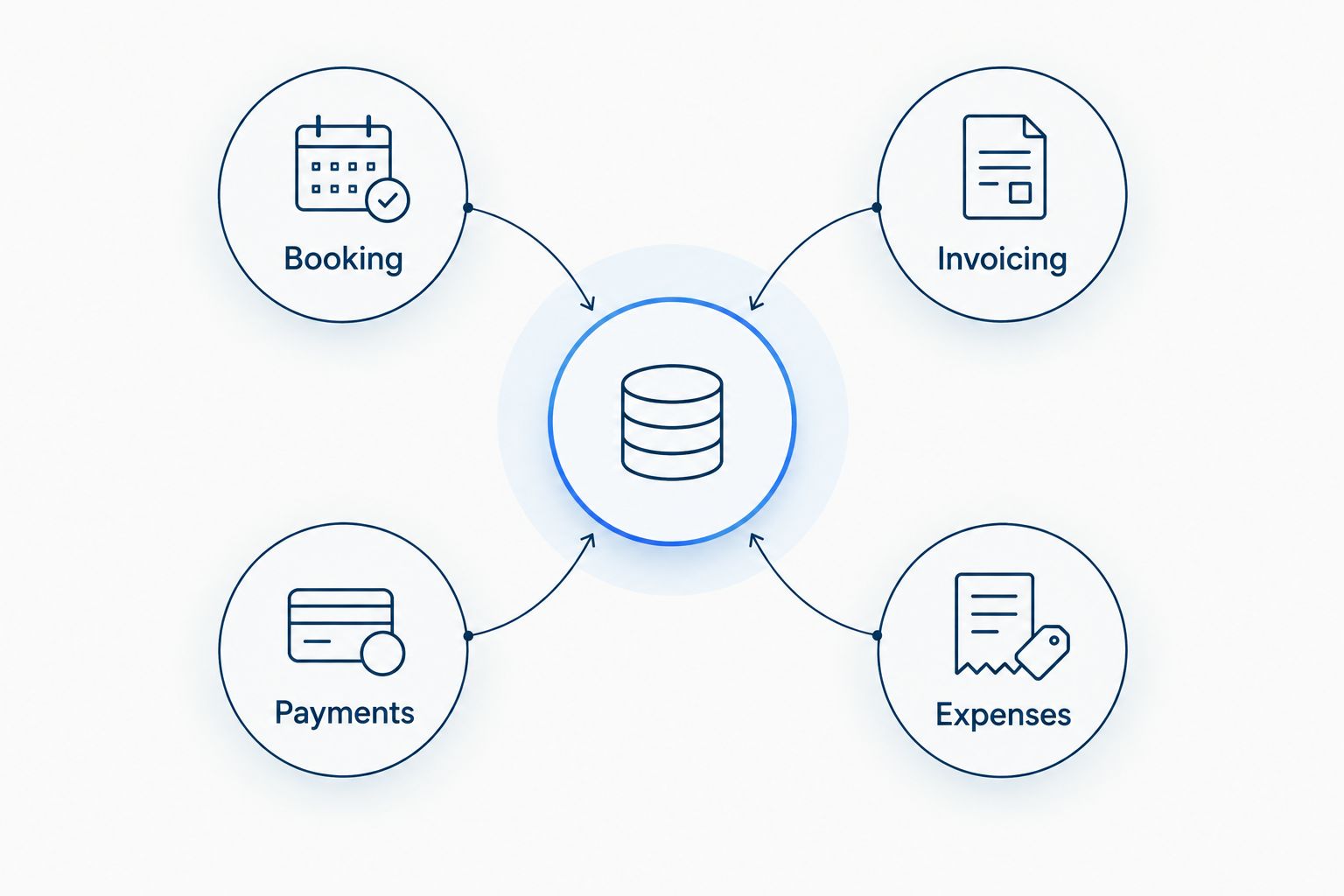
Solo Pro is a business management web app built for people who run a service business alone. It combines client booking and scheduling, invoicing, payment collection, and automatic income and expense tracking. That makes it the default pick when your problem is not just finding an open slot but managing the work that follows it.
Picture a customer asking for an appointment while you are working. You need a way to handle the booking, then send an invoice, collect payment, and keep the income and related spending organized. Solo Pro covers those named tasks in one tool, so you can compare it against the separate tools you currently use for each step.
Solo Pro pros:
- Booking, invoicing, payment collection, and automatic income and expense tracking sit in one tool, so a completed job does not need to be re-entered anywhere to keep the books current.
- Expense tracking connects to your bank through Plaid and reads receipts, so supplies, fuel, and materials land in the record without a second bookkeeping routine. None of the other four options on this list track what you spend.
Solo Pro cons:
- No trade-specific tooling. There are no cleaning checklists, no property or chemical records, and no service-menu features built for one industry. If your day depends on one of those, a specialist tool will fit better.
- Being trade-agnostic cuts both ways. A cleaning-only or appointment-only product will have deeper features inside its narrow lane.
Best for: A solo landscaper, cleaner, stylist, handyman, photographer, tutor, or other service operator who wants the daily admin in one place. Verdict: Buy if that describes your work; check specialized requirements before committing.
2. ZenMaid: best Jobber alternative for cleaning businesses
ZenMaid is the cleaning-specific option in this list. Compare it when your scheduling decisions revolve around cleaning jobs rather than a general appointment calendar. The important question is whether its cleaning workflow matches how you take bookings and manage the work after each clean.
A solo cleaner still needs to send invoices, collect payments, and understand business expenses. Do not decide on scheduling alone. Walk through a completed clean and identify where the charge, payment, and expenses land in the setup you are considering.
ZenMaid pros:
- Built for cleaning specifically rather than adapted from general field service software, so the scheduling language and workflow match how cleans actually get booked.
- Automated email and SMS reminders, calendar dispatch, invoicing, and online payments through Stripe and Square are on the entry plan.
ZenMaid cons:
- The entry plan caps you at 40 appointments per month. Two cleans a day reaches that in the third week, which pushes you to Pro at $39 per month plus $14 per cleaner, or $53 for one person.
- No income or expense tracking and no bank connection. Supplies, mileage, and product costs live in accounting software or a spreadsheet on top of the subscription.
Best for: A cleaning business choosing software around cleaning appointments. Verdict: Hold until you have checked how bookings turn into invoices, payments, and expense records in your working setup.
3. Housecall Pro: best Jobber alternative for field-service teams
Housecall Pro is a field-service management option. Compare it with Jobber when your main decision involves managing service jobs across a team, rather than keeping your own appointments and paperwork in one place. That is a different buying question from finding the simplest setup for one worker.
For a solo operator, the deciding test is not whether a platform can manage more activity. It is whether the work you do each day becomes easier: booking the next job, billing the last one, collecting the payment, and recording the expense. If you expect to assign work to other people, put that requirement near the top of your evaluation.
Housecall Pro pros:
- Scheduling and dispatch are the center of the product rather than a feature attached to a calendar, so reassigning a job mid-day is a first-class action.
- Invoicing, payments, and the customer-facing experience are polished and widely used across home service trades.
Housecall Pro cons:
- Basic includes exactly one user, and the next tier up is $149 annually or $189 monthly, so there is no gentle step between solo and team.
- No income and expense tracking built for a one-person business. The financial picture depends on syncing to accounting software.
Best for: A field-service business evaluating how to manage work across people. Verdict: Buy for a team-led workflow; hold if you work alone and mainly need to connect booking with billing and bookkeeping tasks.
4. Square Appointments: best Jobber alternative for appointment-led work
Square Appointments puts scheduling and payments at the center of the decision. It is a useful comparison for work where a client chooses a time and the appointment is the main unit you manage. Think hair appointments or personal training sessions, not a job that requires you to coordinate a crew.
An appointment-led workflow can still leave admin outside the calendar. Before choosing it, trace how you create invoices when needed and how you record business expenses. A convenient way to book or take payment is valuable, but it does not remove those other tasks from your business.
Square Appointments pros:
- The free plan is genuinely free for a single location, with an online booking site, appointment reminders, and calendar sync, and no subscription cost at all.
- Hardware, payroll, and the rest of the surrounding ecosystem are available if you want them later.
Square Appointments cons:
- The subscription is free but the processing is not. Online payments on the free plan run 3.3 percent plus 30 cents, so a $150 job costs $5.25 to collect. At Plus, which is $49 per month, that drops to 2.9 percent plus 30 cents, or $4.65, meaning you need roughly 100 online transactions a month before the upgrade pays for itself on processing alone.
- No expense tracking. Sales records are strong, but what you spend to run the business is not part of the picture.
Best for: A solo service provider whose customer journey starts with choosing an appointment. Verdict: Hold until you have mapped invoicing and expenses as well as bookings and payments.
5. Calendly: best Jobber alternative for booking-only needs
Calendly is the narrowest choice here: it is a scheduling tool. If your main frustration is trading messages to agree on a time, that narrow focus is useful. It gives you a way to consider the booking problem without first changing how you handle every other part of the business.
Do not mistake a booked slot for a completed business workflow. You still need a process for invoicing, payment collection, income records, and expenses. Calendly belongs on this list because some solo operators only need to fix scheduling; it is not a like-for-like replacement for all the tasks in a business management app.
Calendly pros:
- The narrowest tool here, and it does the narrow thing well. If trading messages to agree on a time is your only real problem, this solves it without changing anything else.
- The free plan is free permanently and is genuinely usable for one person.
Calendly cons:
- It is a scheduling tool, not a business tool. There is no invoicing, no client record, no income tracking, and no expense tracking. Everything after the booking stays exactly where it is.
- The free plan limits you to one active event type and one calendar connection, which is tight if you offer more than one service.
Best for: A service provider who is satisfied with the rest of their setup and only needs a better way to book time. Verdict: Buy for booking-only needs; skip as a complete Jobber replacement.
How the options are ranked
The ranking puts the one-person workflow first because this guide is for solo businesses. It then separates cleaning-specific scheduling, field-service team management, appointment-led work, and booking-only tools. The order is based on fit for those tasks, not a claim that every product was tested under identical conditions.
Use the same sequence when comparing tools in 2026: take one real job and follow it from the first booking request through the invoice, payment, and expense record. Write down every step that still needs another tool or a manual reminder. That list is more useful than a feature count because it shows where your own work gets stuck.
Which Jobber alternative should you choose?
Choose Solo Pro if the whole business is you and you want booking, invoicing, payments, and automatic income and expense tracking together. Choose ZenMaid when cleaning-specific scheduling is the central requirement. Choose Housecall Pro when coordinating field-service work across people is the decision you need to make.
Choose Square Appointments when clients primarily book time slots and payment is central to that appointment workflow. Choose Calendly when you only need to stop arranging times by text and your existing billing and records already work. For an undecided solo operator in 2026, the default is Solo Pro: it addresses more of the named daily tasks without making team management the reason to buy.
Put your admin in one place
See booking, invoicing, payments, and expense tracking for your solo business.
FAQ
What is the best Jobber alternative for a solo business in 2026?
Solo Pro is the best fit in this comparison for a one-person service business that wants booking, invoicing, payments, and automatic income and expense tracking together. If you only need scheduling, compare Calendly instead.
Is ZenMaid or Jobber better for a solo cleaner?
ZenMaid is the cleaning-specific option to compare with Jobber. Decide by following a real cleaning job from booking through invoicing, payment, and expense recording, rather than judging the calendar alone.
Is Housecall Pro a good Jobber alternative for one person?
Housecall Pro is a Jobber alternative for field-service work, but its team-oriented use case is not the default fit for someone managing only their own jobs. Check the daily tasks you need before choosing a broader workflow.
Can Calendly replace Jobber for a solo business?
Calendly can replace the scheduling part of your setup if booking time is your only problem. You still need processes for invoicing, collecting payments, and tracking income and expenses.
What should I check before switching from Jobber?
Check how a booking becomes an invoice, how you collect payment, and where income and expenses are recorded. Use one completed job to find steps that still require another tool or a manual handoff.
Is Square Appointments the same kind of tool as Jobber?
No. Square Appointments is an appointment-led scheduling and payments option, while Jobber is a field-service management tool. Choose based on whether you mainly book time slots or manage service jobs.
One last thing
In 2026, test the step after the booking before you move your calendar. A tool can end the scheduling text thread and still leave you rebuilding an invoice or chasing down an expense later. The best choice is the one that removes the handoff you actually face each week, not the one with the most features on its list.