Best Lawn Care Software 2026: Solo Pro for Solo Work
.png)
Best Lawn Care Software 2026: Solo Pro for Solo Work
Best overall for a one-person lawn care business: Solo Pro. Best for managing crews: Jobber; best for field dispatch: Housecall Pro; best for lawn-care-specific customer and property records: Yardbook. The right lawn care software in 2026 depends on whether your day breaks down at the booking link, the invoice, or the crew schedule.
TL;DR
Why this matters
A lawn care job creates more admin than a calendar entry. You need to agree on the work, reserve a time, collect payment, and record what the job cost you. If you work alone, every minute spent copying details between a text thread, invoice, and expense record comes out of the same day you use to serve customers.
A crew has a different problem. The owner needs to know who is going where, which job details each person needs, and whether completed work has been billed. Software built around a solo operator's books is not automatically the right choice for dispatching a team. Pick for the work that repeatedly gets stuck, not for the longest feature list.
This 2026 comparison separates those needs. Solo Pro fits a one-person service business; Jobber and Housecall Pro are stronger candidates when coordinating field workers drives the decision; Yardbook deserves a look when property-based lawn care records shape your day.
What makes the best lawn care software?
Use these criteria before you compare feature lists. A feature only helps when it removes a step you actually handle each week.
These criteria do not carry equal weight for every business. A solo operator handling the schedule and the books needs fewer handoffs between booking, payment, and expenses. An owner assigning jobs to several people needs a dependable way to communicate the day's work, even if accounting lives elsewhere.
Best lawn care software at a glance
Start with who performs the work, then check whether your biggest gap is customer administration, crew coordination, dispatch, or property records.
1. Solo Pro: best lawn care software for one-person admin
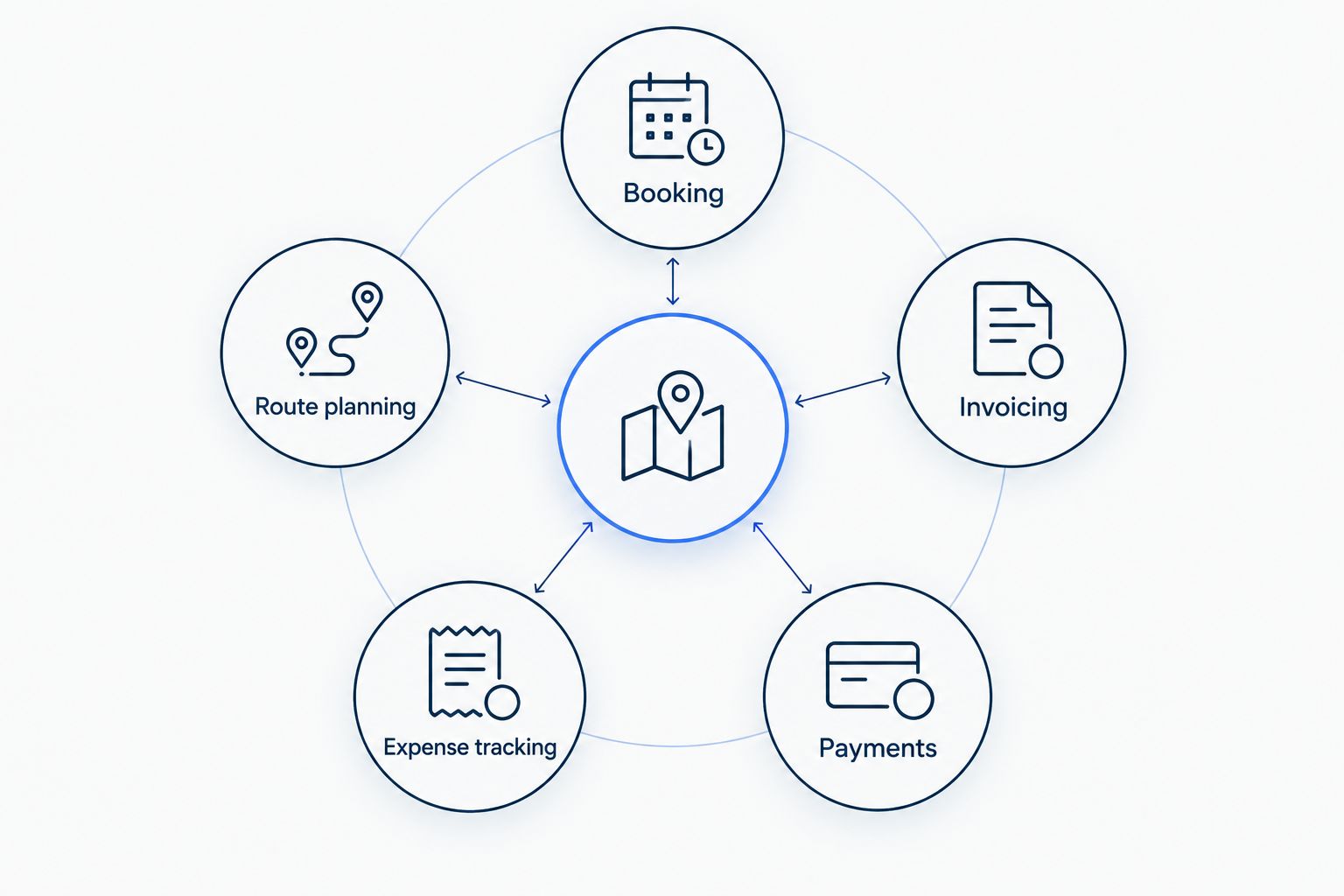
Solo Pro is a business management web app for one-person service businesses, including landscapers. It combines client booking and scheduling, invoicing, payment collection, and automatic income and expense tracking. That combination addresses the paperwork a solo lawn care operator handles before and after each visit, not just the time on the calendar.
If you're the person cutting the grass, answering the booking text, sending the invoice, and recording what you spent, those tasks compete for your attention. Solo Pro puts the customer-facing and money-tracking parts of that routine in one tool. Solo Pro is the best fit in this list for a one-person lawn care operator whose main problem is scattered admin.
Solo Pro pros:
- Booking, invoicing, payment collection, and income and expense tracking live in one tool, so a finished job does not have to be re-entered anywhere else
- Flat pricing at $30 per month, or $240 per year, with no per-seat fees and no tier that withholds the features a solo operator uses daily.
Solo Pro cons:
- No crew management, no dispatch board, and no route optimization. The moment you send someone else to a property, this is the wrong tool.
- No lawn-care-specific records. There is no satellite lot measurement and no chemical application tracking.
Best for: The lawn care owner who handles the work and the books alone and wants fewer separate admin steps.
Verdict: Buy if your business is one person and booking, invoices, payments, and expense records are the tasks you need to keep together. Hold if shared crew scheduling is the reason you're changing software.
2. Jobber: best lawn care software for managing crews
Jobber is field-service software that brings together customer management, quoting, scheduling, and invoicing. For a lawn care owner who sends other people to jobs, that field-work structure is more relevant than a tool chosen only for personal bookkeeping. The decision turns on whether coordinating work across people has become harder than sending an invoice.
A quote also matters when a customer asks for work outside their usual visit. Keeping the proposed work connected to the customer and the schedule gives the owner a clearer path from request to completed job. Check the actual crew workflow you need, including how a worker receives a change to the day's schedule.
Jobber pros:
- Quoting, scheduling, invoicing, and client management are built to work across several people, so assigning the day does not depend on a separate text thread.
- Routing tools are built in rather than sold separately.
Jobber cons:
- Expense tracking is not on the entry plan. It starts on Connect at $139 per month billed monthly, or $99 billed annually, for a single user.
- Automated client reminders and automated quote and invoice follow-ups also start on Connect, so the automation a one-person business wants most sits above the tier priced for one person.
Best for: A lawn care owner who coordinates workers, quotes new jobs, and needs the office and field schedule to agree.
Verdict: Buy when crew coordination and quoting are your daily bottlenecks. Hold if you're working alone and mainly need booking, payment collection, and a record of expenses.
3. Housecall Pro: best lawn care software for field dispatch
Housecall Pro is field-service software built around scheduling and dispatch, with invoicing and payment tools. It belongs on the shortlist when someone has to assign jobs to field staff and adjust that plan during the day. That is a different buying problem from keeping a solo operator's calendar and finances together.
Dispatch matters when an appointment changes or a new job needs an available worker. Before choosing Housecall Pro, follow one real lawn care job from request through assignment, completion, and invoice. You should be able to tell who handles each handoff without relying on a separate text thread to explain the schedule.
Housecall Pro pros:
- Scheduling and dispatch are the center of the product rather than a feature bolted onto a calendar, so reassigning a job mid-day is a first-class action.
- Mobile apps and live phone and chat support are included on every plan.
Housecall Pro cons:
- Extra seats past the included count on the top tier run $35 per month each, and the jump from the single-user tier to the five-user tier is $90 per month.
- Published pricing shifts depending on the trade you select during signup, so the number on the plan card may not be the number you are quoted.
Best for: An owner or office manager assigning lawn care visits to field staff and handling changes to that plan.
Verdict: Buy when dispatch is the problem you need to solve first. Skip it as a dispatch-led choice if there is no team to assign; compare the solo admin workflow instead.
4. Yardbook: best lawn care software for property records
Yardbook focuses on lawn care and landscaping workflows, including customer, property, job, and scheduling records. It is the most category-specific option in this comparison. That focus makes it relevant when the address is not enough and you need to keep track of what work belongs to each property.
For repeat visits, review how your customer and property information carries into the next job. Then test the steps after the visit: what becomes an invoice, what gets marked complete, and where you record the costs of doing the work. A lawn-care-specific job record is useful, but it should not leave the financial half of your day unresolved.
Yardbook pros:
- Built for this trade specifically. Satellite lot measurement and multi-step chemical programs are native rather than adapted from generic field service software.
- Paid tiers are flat monthly amounts, $34.99 for Business and $49.99 for Enterprise, with no per-user charge published.
Yardbook cons:
- Mobile access is Android only. The pricing page states that all plans include web and desktop access plus Android mobile app access, with no iOS app listed.
- The free and Business tiers carry ads. Removing them requires Enterprise at $49.99 per month, which is more than Solo Pro costs.
Best for: A lawn care business that organizes recurring work by customer and property and wants those records near its schedule.
Verdict: Buy if property history is what gets lost between visits. Hold until you've checked the invoicing, payment, and expense steps that follow each job.
How these picks were ranked
The ranking starts with the working arrangement, then tests the handoffs around a job. Solo Pro leads for a one-person business because its stated features cover booking, invoicing, payment collection, and income and expense tracking together. Jobber moves ahead when quoting and crew coordination matter more. Housecall Pro earns its place for dispatch; Yardbook earns its place for lawn-care-specific property records.
The limitations matter as much as the strengths. A tool that handles appointments can still leave you recording expenses elsewhere. A tool that handles dispatch can add work when there is nobody to dispatch. For your 2026 shortlist, write down the step you currently repeat or forget, then make each candidate prove it fixes that step.
Which lawn care software should you choose?
Choose Solo Pro as the default for a one-person lawn care business in 2026 when you want booking, invoicing, payments, and expense tracking in the same app. Choose Jobber when you're coordinating a crew and quoting customer work. Choose Housecall Pro when assigning and changing field jobs is the central task. Choose Yardbook when customer and property records drive repeat lawn care visits.
Do not switch based on a long feature list alone. Put one ordinary job through each finalist: booking, job details, completion, invoice, payment, and expense record. The best choice is the one that handles your awkward handoff without creating another place to copy the same information.
Keep solo admin together
Handle booking, invoicing, payments, and income and expense tracking in one app.
FAQ
What's the best lawn care software for a one-person business in 2026?
Solo Pro is the best fit in this comparison for a one-person lawn care business that needs booking, invoicing, payment collection, and expense tracking together. Choose a crew-focused tool instead if assigning jobs to workers is your main task.
Is Jobber or Solo Pro better for lawn care?
Solo Pro fits a solo operator managing their own bookings and finances; Jobber fits an owner coordinating customer work and crews. Pick the tool that fixes the handoff you handle most often.
When should a lawn care business use dispatch software?
Use dispatch software when someone regularly assigns or changes jobs for field staff. If you perform every job yourself, start by fixing booking and invoicing before adding a dispatch workflow.
Does lawn care software replace expense tracking?
Only if the software includes an expense workflow that fits your records. Solo Pro explicitly combines automatic income and expense tracking with booking, invoicing, and payments; check the same requirement in any alternative.
Is Yardbook a good choice for recurring lawn care visits?
Yardbook is a strong candidate when customer and property records organize your recurring work. Check how those records connect to scheduling, invoicing, payments, and expenses before you switch.
What should I check before choosing lawn care scheduling software?
Check booking, repeat visits, property instructions, and what happens when a job moves. Then follow the completed job through invoicing and payment so the schedule does not become another disconnected record.
Can one app handle lawn care bookings and invoices?
Yes. Solo Pro combines client booking and scheduling with invoicing and payment collection for one-person service businesses, including landscapers. Check whether you also need crew dispatch or property-specific records.
One last thing
The hardest part of a lawn care software switch is often the gap after the job ends. In 2026, put the invoice, the payment, and the job's business expenses through your shortlist before you move your whole schedule. If those steps still require copying details between tools, the new calendar has not solved the old admin problem.