Best Pet Sitting Software 2026: Solo Pro for Solo Sitters

Best Pet Sitting Software 2026: Solo Pro for Solo Sitters
Best pet sitting software for a one-person business in 2026: Solo Pro. Best for client communication: Time To Pet. Best for scheduling a team of sitters: Pet Sitter Plus. The right choice depends on whether you need to run your own bookings and finances or coordinate visits across staff.
TL;DR
Why this matters
A pet sitter's work does not end when a visit ends. You still need to arrange the next booking, send an invoice, collect payment, and record what the job cost you. If those tasks live in separate places, every completed visit creates more admin.
A 30-minute walk, a 60-minute drop-in, and a 2-hour sitting visit also create different scheduling questions. You need to know who is going, when the visit starts, what the client expects, and how the work gets billed. A booking calendar alone does not answer all of that.
Solo Pro is best for a pet sitter who runs the business alone and wants booking and money tasks in one place. That is a different decision from picking software to assign visits to a team. In 2026, start with the way you actually work, not the longest feature list.
What makes the best pet sitting software?
Use these criteria before comparing names. The best pet sitting software is the one that covers your daily handoffs without making a simple visit harder to manage.
Test the handoff between these tasks. Create a sample booking, change its time, complete it, and follow it through to payment. A polished calendar is not enough if you still have to reconstruct the job when it is time to invoice.
Best pet sitting software at a glance
- Solo Pro
- Time To Pet
- Pet Sitter Plus
These are different jobs, not interchangeable versions of the same app. If your main problem is unpaid invoices and scattered expenses, start with the solo-business pick. If the hard part is keeping clients informed or assigning visits to staff, use those needs to narrow the choice.
1. Solo Pro: best pet sitting software for a one-person business
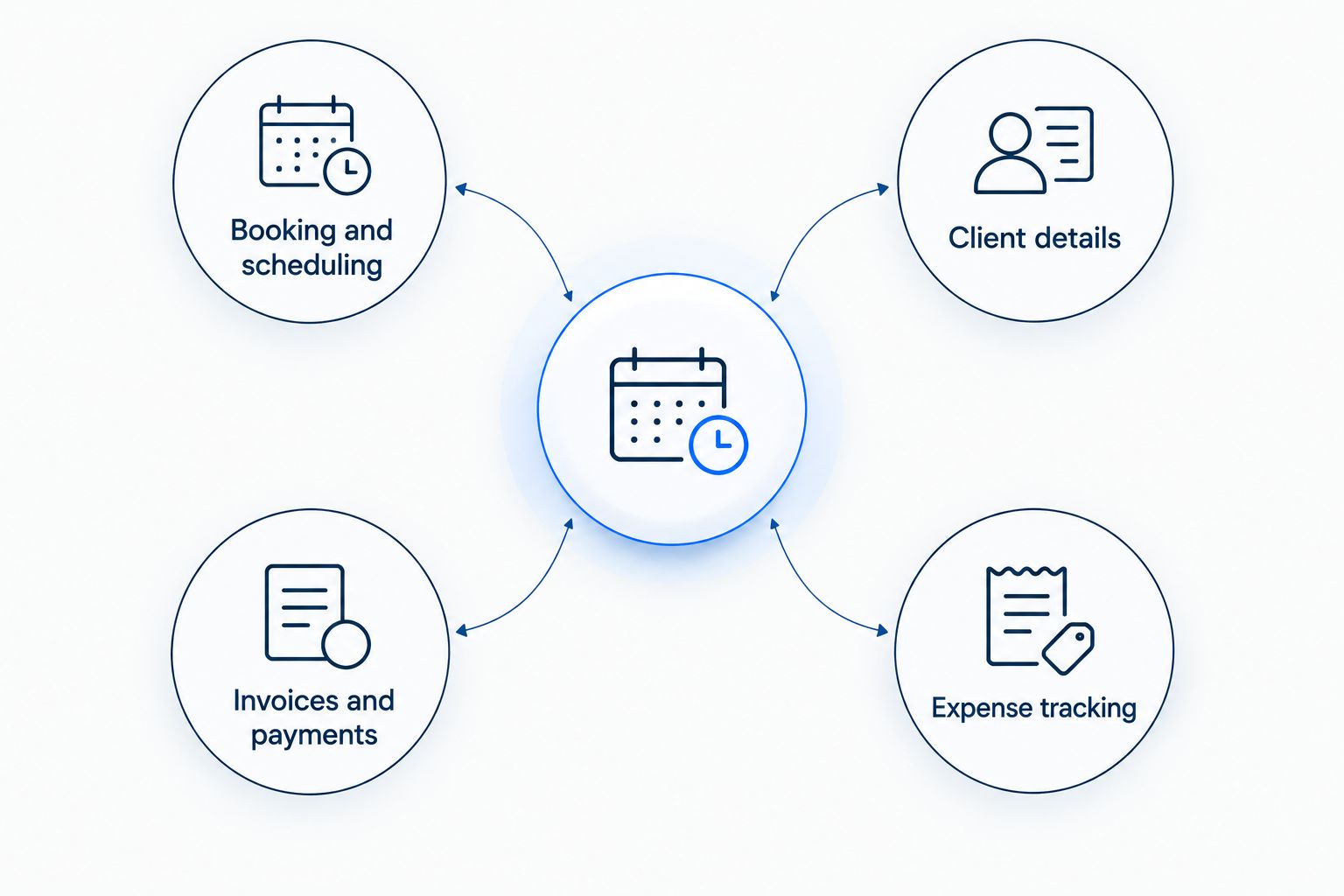
Solo Pro combines client booking and scheduling, invoicing, payment collection, and automatic income and expense tracking in one business management app. Pet sitters are among the one-person service businesses it serves. The appeal is practical: a visit should not require one tool for the booking and a separate routine to keep the business's money records current.
Picture the work after a client asks for another visit. You need to settle on a time, keep the appointment straight, bill for the work, and see what came in against what you spent. Solo Pro puts those business tasks together. It is the clearest fit here when you are the person doing both the sitting and the admin.
Solo Pro pros:
- Booking, invoicing, payment collection, and income and expense tracking sit in one place, so a completed visit does not need to be re-entered somewhere else to keep the books current.
- Expense tracking connects to your bank through Plaid and reads receipts, so mileage between visits, treats, poop bags, and supplies land in the record without a separate bookkeeping routine. Neither pet-care platform in this comparison tracks expenses at all.
Solo Pro cons:
- No pet-specific record fields. There is no vaccination tracking, no key management, and no structured place for feeding instructions, medication schedules, or vet contacts. Both pet-care platforms here include those as standard.
- No staff scheduling of any kind (as of yet).
Best for: A pet sitter who manages their own calendar and wants the invoicing and expense side of the business tied to that work. If you are choosing 2026 pet sitting software primarily to stop juggling bookings and money records, start here.
Verdict: Buy if the whole business is you and booking, getting paid, and tracking expenses are the tasks you need to keep together.
2. Time To Pet: best for client communication
Time To Pet is a pet-care business platform with scheduling and client communication tools. It is the pick when the exchange around each visit is your main operational problem: requests, updates, and the information clients need you to follow. That is a narrower reason to choose it than simply wanting a calendar.
Try it with the conversations you handle most often. Can a client request the kind of visit you offer? Can you find the instructions you need before leaving? Can you send the update that client expects without returning to an old text thread? Those checks tell you more than a feature list.
Time To Pet pros:
- The client portal and client app let owners request visits, approve them, pay invoices, and message you in one channel, which replaces the text thread most sitters are trying to escape.
- The conversation feed turns each visit into a report with notes, photos, and short videos, delivered by email, text, or push notification, with client replies captured in the same thread.
Time To Pet cons:
- No income or expense tracking. Invoicing is thorough, but what you spend to run the business lives somewhere else, which means accounting software or a spreadsheet on top of the subscription.
- The features that make it feel complete are not on the entry plan. The plan descriptions place videos, integrations, and email marketing on Solo at $50 per month, which is double the Lite price and well above Solo Pro.
Best for: A pet sitter whose hardest daily task is managing client requests and communication around visits. For a solo sitter comparing it with Solo Pro in 2026, run the same sample job through both and check what happens after the visit is complete.
Verdict: Buy if client communication is the problem you are solving first; hold off if income and expense tracking is your deciding requirement until you have checked that workflow.
3. Pet Sitter Plus: best for scheduling multiple sitters
Pet Sitter Plus is pet sitting business software built around managing visits, clients, and staff. It belongs on the shortlist when your calendar is no longer just your calendar. The question changes from whether you can take a booking to whether the right sitter can carry it out.
Use a normal week of work to evaluate it. Enter the visits, assign the sitter responsible, then change an appointment and check what each person can see. If that sequence is easy to follow, you have tested the reason to choose a team-oriented tool. If you never assign work to anyone else, much of that decision is irrelevant.
Pet Sitter Plus pros:
- Every plan includes the full software. There is no feature gating, so choosing a plan is a question of business size rather than which tools you are allowed to use.
- Staff scheduling, GPS check-in and check-out, GPS monitoring, visit reports, and staff pay are built for assigning work across sitters rather than adapted from a solo calendar.
Pet Sitter Plus cons:
- No income or expense tracking. Reporting covers the business you invoice, not the costs of running it, so the financial picture is only half built without a second tool.
- The advertised rates are affiliate rates. Standard rates are higher, so the number on the pricing page may not be the number you pay.
Best for: A pet sitting business that needs to coordinate visits across staff. It is not the default pick merely because you expect to get busier in 2026; choose it when assigning work is already part of the job.
Verdict: Buy if you regularly need to put visits on other sitters' calendars; skip the team-first choice if every appointment is still yours.
How we ranked these picks
The ranking starts with the work each product is best placed to handle. The default pick addresses booking and the financial admin of a one-person business. The other picks address client communication and team scheduling. That keeps three different needs from being treated as a single feature contest.
Do not assume a pet-care label guarantees the expense records you want. Do not assume a business management app holds every pet detail you need. And do not pay for the complexity of assigning staff when there is nobody else to assign.
For your own 2026 comparison, take one real booking pattern and test it in each contender. Use the same client instructions and the same change of appointment. Then check whether you can finish the work and close out its admin without maintaining a second record elsewhere.
Which pet sitting software should you choose?
Choose Solo Pro by default if you work alone. It is the most direct match when your day runs from client booking to invoice, payment, and income and expense tracking. Choose Time To Pet instead when client communication around pet-care visits is the job you need software to organize first. Choose Pet Sitter Plus when you assign visits across sitters.
Make the final call on a normal week, not an ideal one. Include the visit that moves, the client who adds instructions, and the work you still need to bill. The right 2026 pet sitting software keeps those ordinary changes from turning into a pile of manual follow-up.
FAQ
What's the best pet sitting software for one person in 2026?
Solo Pro is the pick for a solo pet sitter who needs booking, invoicing, payment collection, and income and expense tracking together. Check how your pet-specific client instructions fit before committing to a workflow.
Is Solo Pro or Time To Pet better for a solo sitter?
Solo Pro is the better fit when your main job is connecting bookings with invoices, payments, and expense records. Time To Pet is the better starting point when pet-care client communication is your main concern.
When should a pet sitting business use team scheduling software?
Use team scheduling software when you regularly assign visits to other sitters. If you handle every visit yourself, test the solo workflow before choosing around staff assignments.
Do pet sitters need invoicing in their scheduling software?
Pet sitters need a dependable way to bill for completed work, whether invoicing sits in their scheduling software or another tool. Keeping booking and invoicing together reduces the need to recreate visit details.
What should I test before choosing pet sitting software?
Test a booking from the first request through a schedule change, completed visit, invoice, and payment. Also check how you store the client and pet instructions you need during the visit.
Can pet sitting software replace a text thread?
Pet sitting software can give clients a structured way to book and give you a place to manage appointments. Check how each option handles changes and client messages before replacing your existing communication routine.
Should expense tracking affect my pet sitting software choice?
Yes, if you run the business alone and need to keep track of what you earn and spend. Solo Pro includes automatic income and expense tracking alongside booking, invoicing, and payment collection.
One last thing
The visit that goes exactly to plan will not expose a weak setup. Test the rescheduled visit. If you can change the booking, keep the right instructions close, finish the job, and account for the payment without rebuilding the story afterward, you have found a workflow that can handle the ordinary mess of pet sitting in 2026.